
Remove Background from Images with AI
Isolate the subject in your photo for a new design or composition. Upload an image, choose your settings, and remove the background—no prompt needed.
Sign-in required · Uses credits · Cost shown before processing
AI editing may alter subject details. Transparent output is not guaranteed.
Advanced settings · Auto · 1K
Start with Flare for everyday creation, or try Sunburst when editing precision matters. Both use the same credit rates. Results and processing time vary by task.
Choose the width-to-height ratio for the generated image.
The current model does not support resolution switching and will generate at 1K.
Real example: before and after
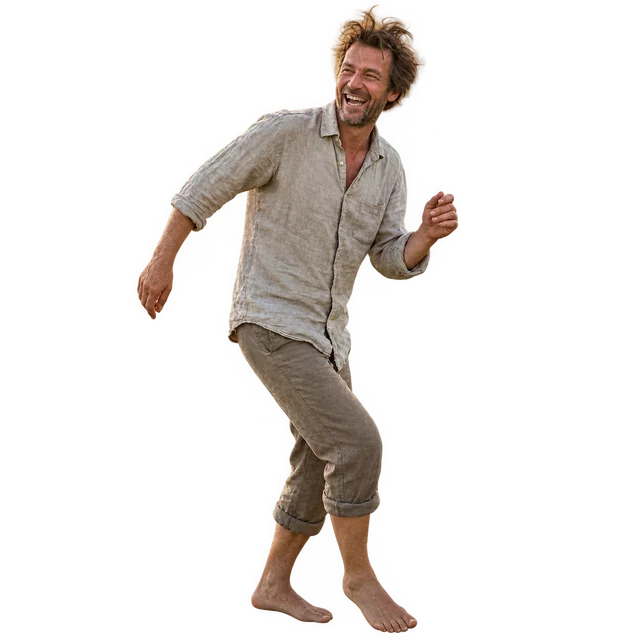
This portrait was processed with GPT Image 2.5 Flare. The green display background reveals the transparent area in this result. Subject size and framing differ from the original. Results vary; transparent output is not guaranteed.

What is Kavello’s AI background remover?
Kavello’s AI background remover uses a generative image model to remove backgrounds from one image at a time. Upload a JPG, PNG, WebP, or GIF up to 5 MB; no written prompt is needed. Sign-in and credits are required. AI editing may change subject details, and a transparent result is not guaranteed.
How to remove a background from an image
1. Upload your image
Sign in and upload one JPG, PNG, WebP, or GIF image up to 5 MB. Start with a clear subject and a sharp original image.
2. Review settings and credits
Choose your model, aspect ratio, and resolution. Check the credit cost before selecting Remove Background. No written prompt is needed.
3. Preview and download
Continue in the image workspace to track progress, preview your result, and download it when you are ready.
Prepare a portrait for a new layout
The portrait example shows one background removal result. Review the subject, hair, and edges before using your result in a profile layout or collage. Product text, logos, and fine details may change with AI editing; check them against the original before use.
Tips for choosing your image
Start with a sharp photo and a distinct subject. Hair, glass, shadows, and subjects that blend into the background may need further editing.
Background removal questions
Is background removal free?
Background removal requires sign-in and uses credits. The cost depends on your selected model and resolution. Review the displayed cost before processing.
Which image formats and sizes can I upload?
Upload one JPG, PNG, WebP, or GIF image at a time, up to 5 MB. For predictable results, use a still image with a clear subject.
Will my result appear in Image Showcases?
No. Background removal results are excluded from Image Showcases. After submitting, you continue in the image workspace to preview and download the result. You can also find the task in My Images.
Will I always get a transparent PNG?
Not always. This tool uses a generative image model, so it may change subject details or return a background that is not transparent. Check the downloaded image on a different background before using it. For product graphics, also review text, logos, and fine details.
Do I need to write a prompt?
No. Upload your image and choose the settings. Background removal instructions are applied automatically.
Will background removal change my subject?
It may. This tool uses generative AI editing, so subject details, proportions, and framing can change. Compare your result with the original, especially faces, hair, text, and logos, before using it.
Can I remove backgrounds from multiple images at once?
No. This tool processes one image at a time. Download or save your current result before starting with another image.