
Baby Born With Mustache AI Video Generator
Turn one baby photo into a mustache baby AI video.
Upload a clear baby photo to create an approximately 10-second hospital-style AI video with a grown-up mustache, blinks, expressions and sound. No prompt required. Download a vertical 9:16 MP4 for TikTok, Reels or Shorts.
Upload a baby photo
One clear face, with the mouth and upper lip visible. JPG, PNG or WebP, up to 10 MB.
Photo tips
- Use a single baby portrait with the face facing the camera.
- Use even lighting and avoid blur, filters or a covered mouth.
- Only upload photos you have permission to use, with a parent or guardian’s permission.
- About 10 seconds
- With sound
- Vertical 9:16
- MP4 download
Failed generations follow the existing credit refund policy.
Sign in to generate. Your video and download will appear in your creations.
A playful mustached baby short video with little blinks and expressive close-ups.
What is “baby born with mustache”?
The baby born with mustache trend pairs a newborn’s tiny face with a grown-up mustache for a humorous contrast. This tool lets you recreate the look from a baby photo in a fictional hospital-style AI video. Review the result before sharing and label it as AI-generated.
Why choose this mustache baby video tool?
For a baby-photo recreation of the hospital-style mustache trend, this page brings the upload, preset scene and output choices together. Here is what you can check before spending credits.
A ready-to-use hospital scene
Upload one baby portrait. The scene and creative instructions are supplied automatically, so you do not need to write a prompt or upload a reference video.
Choose quality with the cost in view
Select 480p or 720p and see the required credits before submitting. Generation is paid; choose the option that fits your intended use and balance.
Inspect an input and its generated result
Compare the first example video with its uploaded portrait before trying your own photo. Check the face throughout the clip; the example is evidence of one result, not a promise of exact likeness.
Mustache baby video examples
Watch the first generated clip alongside its uploaded photo to compare facial features and movement. The second hospital clip shows the scene reference; its accompanying portrait was created from the character in that clip, not uploaded to generate it. Individual results vary.
 The uploaded photo for this clip. One photo, a playful new look.
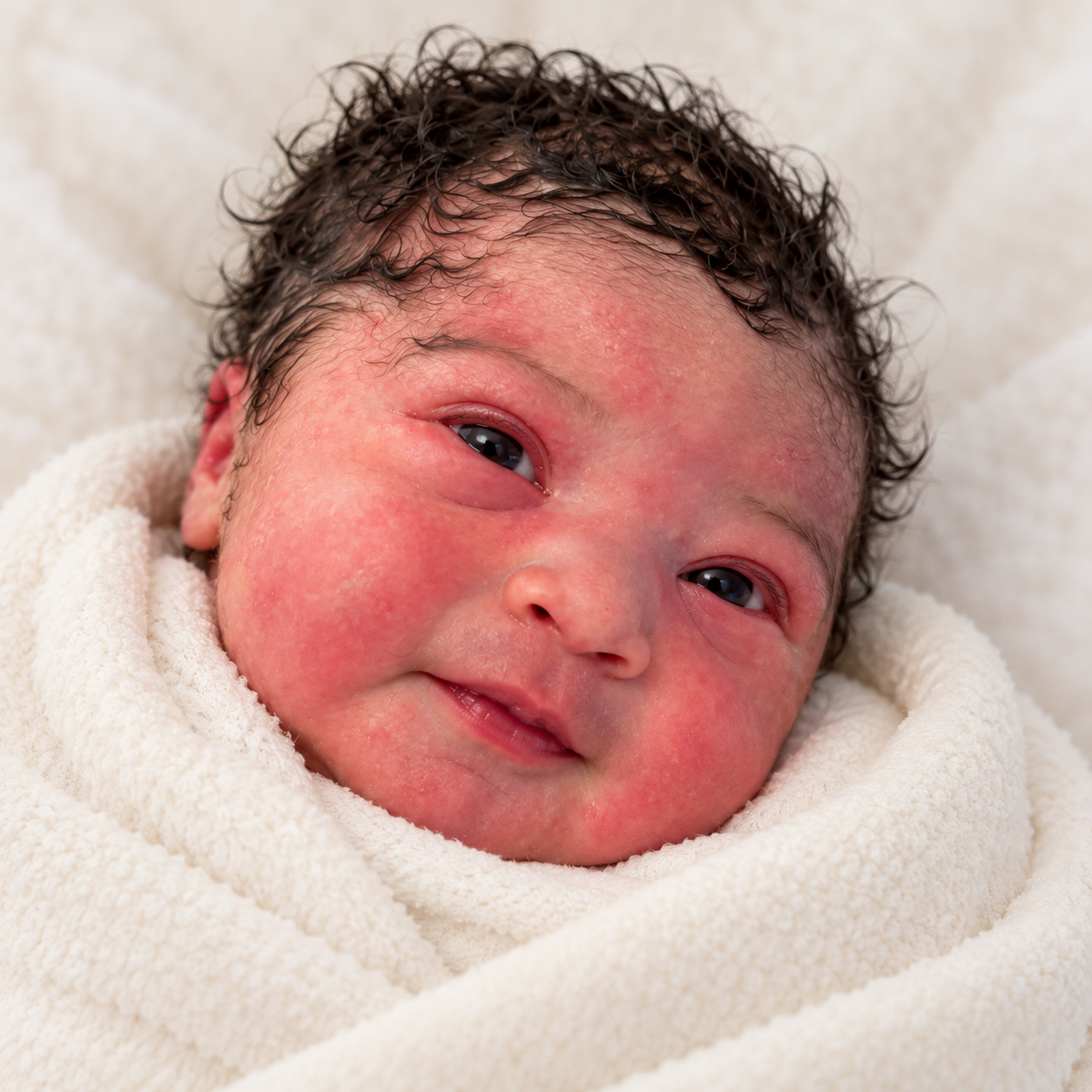 Baby character portrait · Created from the baby’s appearance in the clip, with a sweet, mustache-free look.
How to make your baby born with mustache video
- 01
Upload a clear photo
Choose a baby portrait with one visible face. Leave the mouth and upper lip unobstructed.
- 02
Choose video quality
Choose 480p or 720p and review the credit cost. Sign in to submit; your selected photo is kept during sign-in.
- 03
Watch and download
Follow the task in your creations, watch the completed video and download the MP4. You can reuse your settings for another take.
See the cost before you create
Each generation uses 444 credits at 480p or 951 credits at 720p. Sign-in and sufficient credits are required. These are credit costs, not cash prices; see the pricing page for credit packs.
| Photo | One JPG, PNG or WebP, up to 10 MB |
|---|---|
| Video | About 10 seconds · MP4 · 9:16 |
| Sound | With sound |
| Setup | One baby photo; hospital scene and prompt included |
| Generation time | Varies with the provider queue and processing. Follow progress in your creations; no fixed completion time is promised. |
| Watermark | A watermark-free result is not guaranteed. Review the completed video before sharing. |
| If generation fails | Failed tasks are handled under the credit-return policy. Returned credits are not a cash refund; a temporary progress-query error does not itself mean generation failed. |
| Hospital newborn · 480p | 444 credits |
| Hospital newborn · 720p | 951 credits |
Baby With Mustache: the trend, the method and a prompt to try
Guide maintained by Kavello · Updated:
Where did the baby with mustache trend start?
The Baby With Mustache trend spread through a hospital-style clip of a swaddled newborn sporting a thick, grown-up mustache. The visual contrast quickly became the joke: a tiny newborn with the expression and facial hair of a much older character.
Metro Ecuador covered the circulating mustache-baby clip on October 23, 2026. [1] Complex also shared the clip on Instagram with an Ecuador framing. [2]
Recreations took the idea beyond the first hospital clip, giving babies serious expressions and an amusingly grown-up appearance. You may encounter the theme as Baby With Mustache, Mustache Baby, Baby With Moustache or Ecuador Baby. Use these names to describe the meme, and label your own recreation as AI-generated entertainment.
“Las imágenes rápidamente generaron comentarios, bromas y preguntas sobre qué podría explicar esa característica.”
Translation from Spanish: “The images quickly prompted comments, jokes and questions about what might explain that feature.”
How to choose a photo for your video
Choose an evenly lit, front-facing photo with one unobstructed face. Keep the eyes, nose, mouth and chin visible, and avoid strong filters or extreme angles.
Use a photo you have permission to process, with the parent or guardian’s consent. A clear photo provides more facial detail, but AI resemblance can still vary.
An original baby mustache prompt
For learning or use in an image-to-video tool that accepts custom prompts. This is a separate creative example, not a settings field or a promise that this site will follow custom instructions.
Create a playful vertical portrait video using the uploaded baby photo as the appearance reference. Keep the baby’s facial outline, eyes, nose, lips and hair recognizable throughout gentle blinking and small head movements. The baby rests comfortably in a soft blanket under even light. Add a textured dark mustache above the upper lip, following the mouth naturally while leaving the lips visible. Keep the face consistent as the expression changes. Use a steady close-up, a calm background and natural infant proportions. No extra faces, captions or logos. Treat the scene as fictional AI entertainment.
A useful prompt separates appearance, movement and style. Start with one face and a small action rather than several scene changes. Inspect the result for changing eyes, distorted lips and a drifting mustache. More emphatic wording cannot guarantee identity preservation; if the result is unsuitable, do not present it as an exact depiction of the child.
Read the baby with mustache trend and AI tutorialBefore you generate: price, privacy and limits
Credit packs are available on the pricing page. The entry pack covers one 480p generation but does not cover a 720p generation. Check the selected quality and displayed credit cost before submitting.
A failed generation is handled under the credit-return policy. Returned credits are not a cash refund. Disliking a completed video or noticing a likeness difference does not automatically qualify for a refund; report suspected technical faults with your task reference for review.
Uploads are processed by the service and its AI providers, not only on your device. Third-party retention practices may differ from this site’s. Read the privacy policy before uploading a child’s photo; do not assume that deleting a history entry immediately erases every stored copy.
The examples above pair an input portrait with an output for comparison. They illustrate individual results, not a guarantee. AI can alter face shape, age cues, hair and expressions; resemblance and mustache consistency vary across frames. Review the whole clip before sharing and label it as AI-generated.
Baby born with mustache FAQ
Is this a real birth video?
This tool makes fictional AI entertainment. A mustached baby clip should not be presented as proof of a real birth or medical condition. Label your creation as AI when sharing.
Which photo should I upload?
Use a clear photo of one baby, with even lighting and no obstruction over the mouth. JPG, PNG and WebP are supported up to 10 MB. You need permission to use the photo and the parent or guardian’s consent.
How long is the video?
Videos are about 10 seconds long, with small head movements, blinks and expressions. Download your result as a vertical MP4.
Will the baby look exactly like my photo?
Your photo guides the baby’s appearance, but AI may change facial details or the mustache as the baby moves. Results vary. Review the whole video before sharing it.
How many credits does a video cost?
Each generation uses 444 credits at 480p or 951 credits at 720p. Sign-in and sufficient credits are required. These are credit costs, not cash prices; see the pricing page for credit packs.
Does the video have sound?
Yes. The finished video includes sound. You can play it with audio and download the MP4 from your creations.
Can I make and download it on my phone?
Yes. Upload a photo in your mobile browser, select quality and submit. Your creation opens with task progress; when it finishes, download the vertical MP4 from the result page. If a request times out, check your creations before submitting again.
Do I need to write a prompt?
No. Upload your photo and choose quality; this page handles the creative instructions. The prompt in the guide is an educational example for tools that support custom prompts.
Where did the mustache baby trend spread first?
The hospital-style mustache baby clip was circulating on TikTok by October 23, 2026, followed by a Complex repost with an Ecuador framing on October 24. It inspired further AI baby recreations.
What if the result does not resemble my photo?
Check that the uploaded photo shows one clear face without filters or obstructions. AI resemblance is not guaranteed, and another generation may still differ. Each new generation uses credits. If you suspect a technical fault, contact support with the task reference before paying to retry.
Is video generation free?
No. Video generation requires sign-in and sufficient credits. You can read the guide and watch public examples without generating. Check the pricing page and displayed credit cost before submitting.