
Bulin 47 AI Video Generator
Make a Bulin 47 AI video from one portrait. Replace the freestyle lead using the built-in 15-second reference, choose your output settings, and download your version with reference audio.
One portrait. Your freestyle.
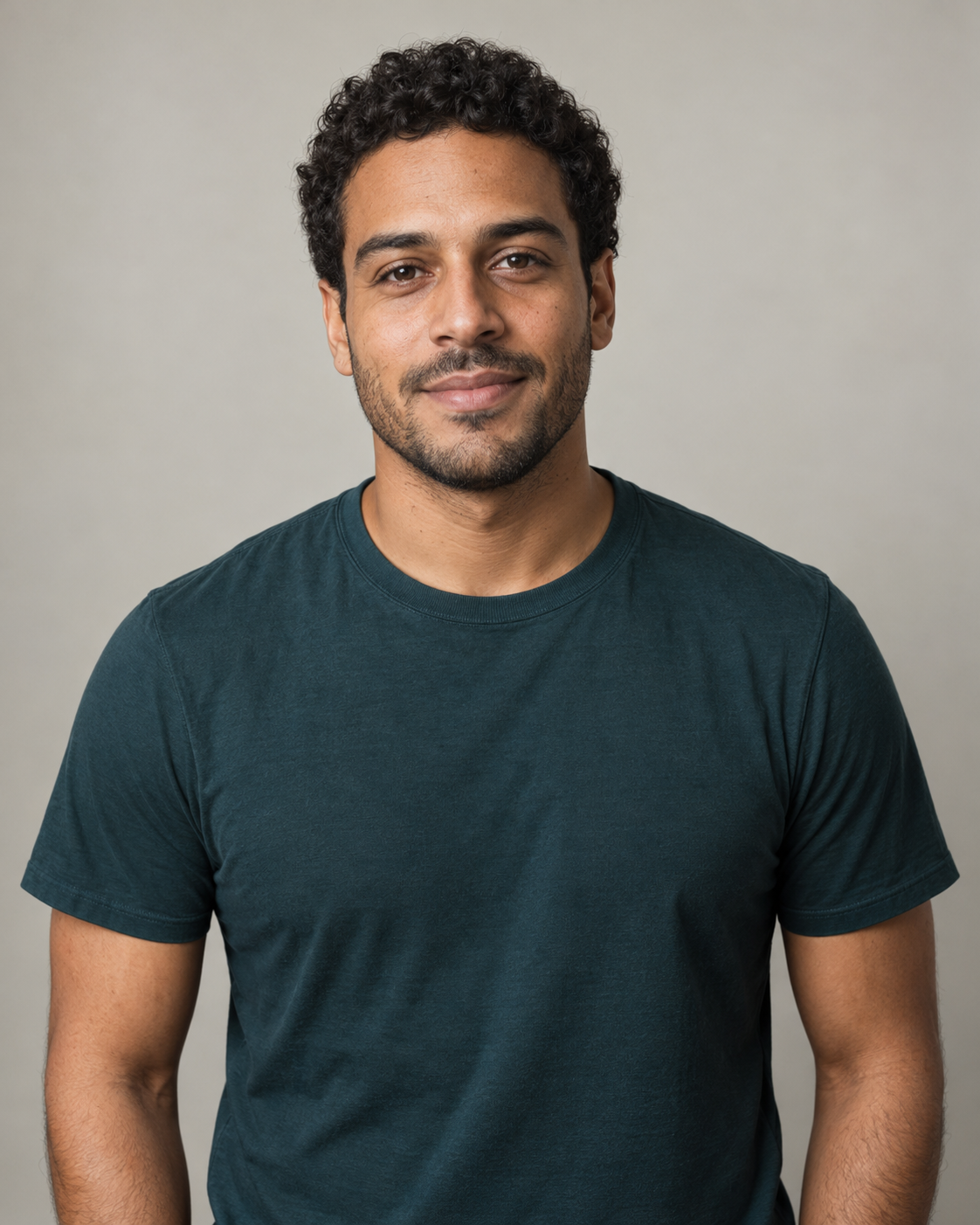 Example portrait · Lead performer
A matching generated video has not been added yet.
The portrait is an AI-generated example input. The video above is the performance reference; it is not a result made with this portrait.
Reference source: Bulin AIPerformance reference
Use the built-in 15-second Bulin 47 freestyle
Add your portrait
Use one clear, well-lit face or upper-body photo. JPG, PNG or WebP, up to 10 MB.
15s · 16:9 · 768P · 240 credits
What is Bulin 47 AI?
Bulin 47 AI is a photo-to-video effect that recreates a freestyle performance with a different lead character. On this page, one portrait supplies the character and a built-in 15-second clip guides the movement and scene. The result is an AI-generated recreation; identity, timing and background details can vary.
How to make Bulin 47 AI video
To make a Bulin 47 AI video, upload one portrait, choose the output settings, sign in and generate. Review the finished video with sound in your creation details before downloading.
- 01
Choose a clear portrait
Upload one front-facing or upper-body photo with the face, hair and clothing visible. Avoid group photos, heavy filters and objects covering the face.
- 02
Choose your output and generate
Preview the reference, then select resolution, output length and aspect ratio. Check the credit estimate before signing in and submitting; no prompt or source-video upload is needed.
- 03
Review and download your video
Follow progress in your creation details. Play the finished clip with sound and check the face, shoulder movement and speaker holder before downloading or sharing.
Bulin 47 freestyle AI: what changes in the video?
Bulin 47 freestyle AI refers to recreations of the performance featuring Bulin 47 and Kevin Wai. The recognizable scene pairs shoulder-led movement with a partner holding a portable speaker. This tool uses your portrait to replace the lead in sunglasses and a pale-pink shirt. The reference guides the movement and camera; the prompt asks the model to retain the speaker holder and crowd.
This is an independent tool, not affiliated with or endorsed by Bulin 47 or Kevin Wai. Review generated details before sharing.
| Photo input | One JPG, PNG or WebP portrait, up to 10 MB |
|---|---|
| Included reference | 15-second performance clip; no source upload needed |
| Output duration | 4s / 8s / 12s / 15s |
| Resolution | 768P / 2K |
| Aspect ratio | 16:9 / 4:3 / 1:1 / 3:4 / 9:16 / 21:9 |
| Audio | Reference audio; no voice cloning or guaranteed lip sync |
| Default generation | 15s · 768P · 16:9 · 240 credits |
Generation requires an account and sufficient credits. The estimate above the generate button updates when you change settings.
Choose settings for your freestyle video
Output length
Choose 4, 8, 12 or 15 seconds. For a first test, try 4 seconds at 768P and review the face and movement before spending credits on a longer clip. The reference stays 15 seconds; a short output may omit part of the performance. Use 15 seconds for more of the sequence.
Resolution and aspect ratio
Use 768P or 2K and select a frame for where you will share it. The default is 16:9; 9:16 is available for vertical posts. Changing the frame can change composition, so check the people near the edges.
Check credits before generating
The estimate includes the fixed 15-second reference plus your selected output length. Resolution also affects the price. The amount above the generate button updates with your choices.
Is this the right Bulin 47 AI tool for you?
Use this template when you want to replace the freestyle lead from one photo without finding a source clip or writing a prompt. The performance reference and instructions are already set. You can choose the output length, resolution and frame, but this page does not accept a different motion reference or a custom scene prompt.
Bulin 47 AI questions
Do I need to upload the original video?
No. The first 15 seconds of the reference are included. Upload a portrait, then choose your resolution, output length and aspect ratio. The defaults are 768P, 15 seconds and 16:9.
Which person changes, and which photo should I use?
The intended target is the lead in sunglasses and a pale-pink shirt behind the speaker holder. Use one sharp front-facing or upper-body portrait. AI can still alter faces, hands or people in the background.
Does my Bulin 47 AI video keep the original audio?
This template attaches the audio from its built-in 15-second reference to the generated video; you do not need to upload music separately. Shorter outputs use the beginning of that audio. It does not create a new rap or clone your voice, and exact lip sync is not guaranteed. Listen to the downloaded video before sharing.
Is it free, and what happens if generation fails?
Generation uses account credits. The estimate includes the fixed 15-second reference and your selected output length and resolution. Confirmed failed tasks follow the standard credit-refund flow; check creation details for task and refund status.
Can I leave while the video is generating?
Once submission succeeds, the task opens in your creation details. Return to your generation history to check progress or download the finished video.
Will my Bulin 47 AI video match the reference exactly?
No. The model uses the reference to guide the performance, but faces, hands, timing and background people can change. Review the full result with sound. The player above shows the reference footage, not proof of a generated result.
Is this a face swap or an AI video recreation?
It generates new video frames using your portrait and the performance reference. It does not simply paste your face onto the original footage. Hair, clothing, hands and surrounding people can change, so review the whole clip rather than only its first frame.