
YOUR CLIP. YOUR DUO.
Hotel Lobby AI Video Generator
Make a Hotel Lobby AI video starring you and a friend. Add two portraits, use the built-in performance or upload your own clip, and choose reference audio or AI-generated sound.
2 portraits · Built-in or custom reference · Credits required
Keep reference audio or choose AI-generated sound.
Start creatingReference video
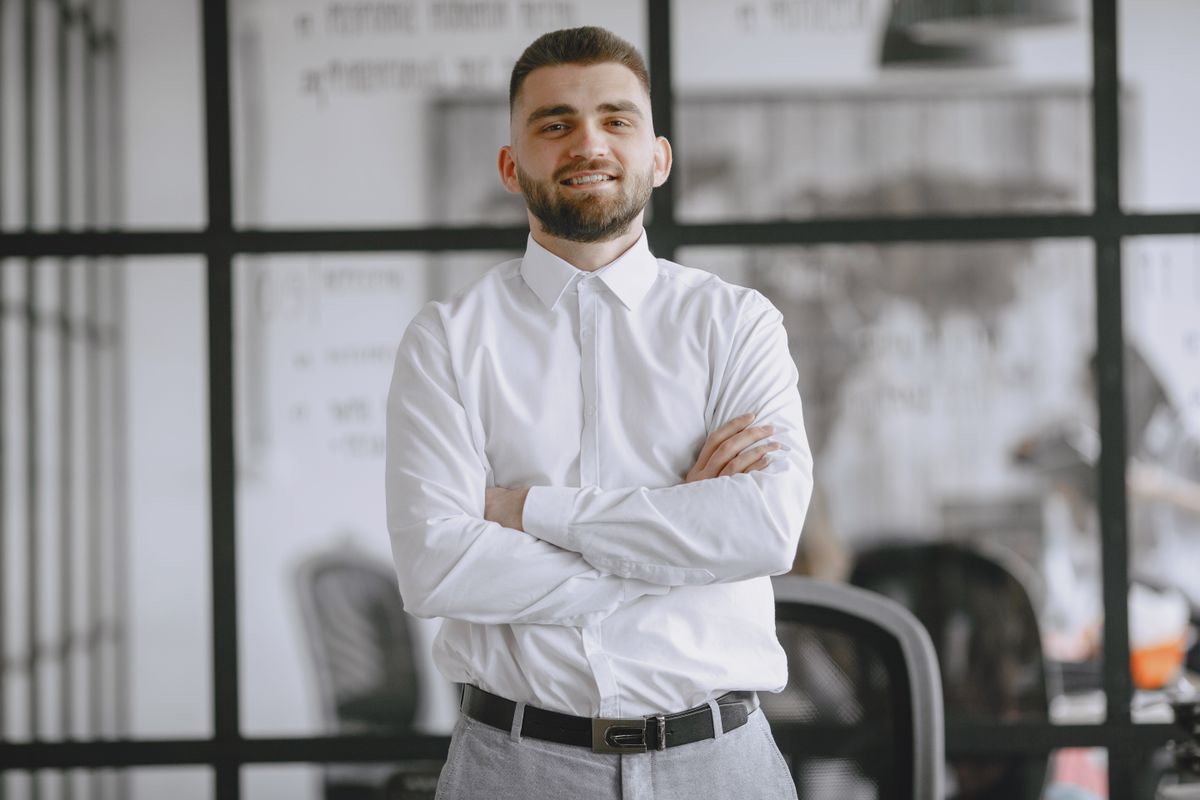
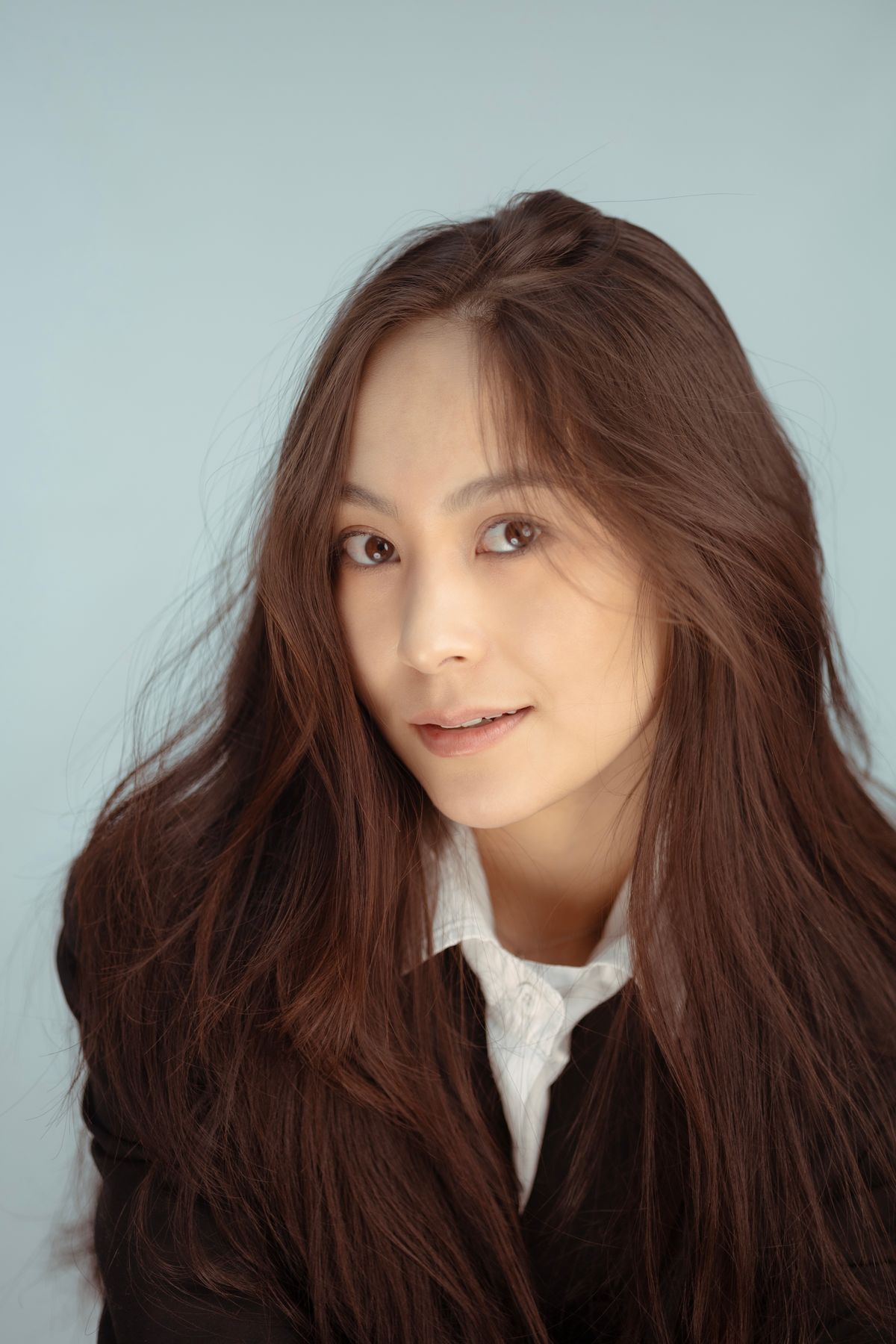
Two photos. A new duo.
Result · 4.5s · 768PAn actual generated example using the photos above and the reference video. Appearance, movement and audio vary between generations.
How to do the Hotel Lobby trend with AI
- 01
Choose the performance
Use the built-in 8-second orange-studio performance, or upload a 4–15 second MP4 with both performers visible. Preview the reference before continuing.
- 02
Choose your duo
Add one portrait for the left performer and one for the right. Use clear, well-lit faces without obstructions.
- 03
Generate, review and download
Choose resolution, length, aspect ratio and audio. Check the credits, generate, then follow the task in My Videos. Preview and download use the same completed file.
Follow the example from inputs to download
The example above uses the displayed portraits and an 8-second reference. Its actual output is about 4.5 seconds at 768P, in 9:16. It is an existing generated sample with model audio, not a newly generated 8-second result.
- 1. Preview the built-in clip, then add your left and right portraits. Keep the intended roles in that order.
- 2. For a new 8-second result, select 768P and 9:16. An 8-second reference plus an 8-second output costs 128 credits. Keep reference audio is selected by default.
- 3. Confirm your material permissions and generate. Open My Videos to check progress; after completion, listen to the audio, inspect both faces and framing, then download.
If the result is not what you expected
- Faces or roles look wrong: use one unobstructed, well-lit face per photo and check the left/right assignment. A new generation costs credits and may still vary.
- A performer is cropped: try 16:9 and a reference where both people stay visible. Vertical framing can leave less room for a wide duo scene.
- The soundtrack matches but lips do not: copying audio does not retime the generated mouth movements. Review before sharing; choose a different performance reference if timing matters.
- A task is still processing: check its existing entry in My Videos before submitting again. A network interruption alone does not mean it failed. Confirmed failed tasks return their charged credits.
When this workflow fits
Use this page when you want separate control over two identities, a performance reference and the final soundtrack. It generates a new performance rather than a frame-by-frame face replacement. For exact choreography, perfect lip-sync or a finished edit with captions, expect additional review or editing.
What is the Hotel Lobby trend?
The Hotel Lobby trend is a short-video format inspired by Quavo and Takeoff’s HOTEL LOBBY performance on A COLORS SHOW: two performers, an orange backdrop and a microphone hanging between them. In AI versions, people replace the original duo with themselves and a friend or another pair of characters. Hotel Lobby is the song’s name; the recognizable scene is a performance studio.
Hotel Lobby AI helps you make your version of the duo trend. This generator combines one photo per performer with a built-in or uploaded performance reference. Compare the real example above, then choose your portraits. Faces, movement and timing can vary; reference-audio mode preserves the source soundtrack, not exact lip-sync.
Watch the original HOTEL LOBBY performance on A COLORS SHOWChoose your reference video and portraits
- Use a 4–15 second MP4, up to 30 MB, with both performers in view. A steady shot makes the scene and each person’s position easier to specify than a clip with frequent cuts.
- Upload one person per image: left performer first, right performer second. Choose sharp, well-lit faces without sunglasses or objects covering them. JPG, PNG and WebP are supported, up to 10 MB each.
- The built-in clip supplies the orange studio and hanging microphone reference. To change the performance, upload footage you have permission to adapt. Use portraits with permission from the people depicted.
How to prepare your reference video
- Choose a two-person performance you have permission to adapt. For the familiar look, choose an orange studio scene with a hanging microphone.
- In your video editor, trim a continuous 4–15 second section where both performers stay visible. Keep their left and right positions consistent.
- Export as MP4 under 30 MB, with AAC audio if you want to keep the soundtrack. Upload one clear portrait per performer. Or skip preparing a clip and use the built-in template.
Hotel Lobby AI prompt: what to add
The generator already tells the model which photo belongs to each performer and to follow your clip’s scene and movements. Use Additional direction for a specific detail, such as framing or expression:
Keep both performers in a medium-wide shot with the microphone between them. Use relaxed expressions and subtle hand gestures. Keep the orange background visible throughout.
How much does a Hotel Lobby AI video cost?
- Required inputs
- 1 MP4 reference + 2 portraits
- Video model
- MiniMax H3
- Aspect ratios
- 16:9 / 4:3 / 1:1 / 3:4 / 9:16 / 21:9
- Audio
- Keep reference audio or choose AI-generated sound.
- Billing
- Reference + output duration; varies by resolution
- Output length
- 4 / 8 / 12 / 15 seconds
- Output resolution
- 768P / 2K
| Resolution | Credits per second¹ | Example total |
|---|---|---|
| 768P | 8 | 128 |
| 2K | 13 | 208 |
¹ Credits cover both reference and output duration: round up (reference seconds + output seconds) × the resolution rate to a whole credit. Reference duration is rounded up to whole seconds first; the two portraits add no duration. Check the estimate above before generating.
This is a separate billing example, not the cost of the 4.5-second showcase video above.
The one-time 310-credit pack costs US$9.90. Starting with no credits, it covers 2 videos at 768P or 1 at 2K using the example settings above (not both). Remaining credits stay in your balance. This is a pack purchase, not a per-video cash price.
Compare credit plansHotel Lobby AI questions
Can I create a video with just two photos?
Yes. With the built-in performance selected, you only upload the two portraits. You can also switch to your own 4–15 second MP4 reference. Both options require generation credits.
See how to prepare a reference videoWill it keep the original song and exact movements?
Choose Keep reference audio to copy the reference soundtrack into the finished video, trimming it to the result length. Shorter audio is not looped. The model still generates new movements and faces, so exact motion and lip-sync are not guaranteed. You can choose AI-generated audio instead.
How are credits calculated?
Credits depend on your resolution and the combined length of the reference clip and output. Reference seconds are rounded up, and the two portraits do not add an image charge. The generator shows the total before submission; see the worked example above.
Is this Higgsfield Genjutsu?
No. This page uses MiniMax H3 through KIE. It is an independent reference-video workflow, not a Higgsfield product.
Is Hotel Lobby AI free to use?
You can preview your uploads and check the credit estimate before signing in. Generating a video requires an account and enough credits. Review the current credit plans before purchasing.
Can I make a Hotel Lobby video for TikTok or Reels?
Yes. Select 9:16 for a vertical video, or 16:9 for a wider two-person composition. Start with footage where both performers remain visible and check the generated framing before sharing.
Are credits returned if generation fails?
When the system confirms a task has failed, it returns the credits charged for that task. A processing task or a network interruption is not yet a confirmed failure; check My Videos for its status. A completed video is not automatically refunded because you dislike the result.